From CAD to a clear product story
Exploded-view assembly animation
Explain how a product fits together with a clear disassembly and reassembly sequence. Work directly with keyframes or ask a compatible AI assistant to prepare the motion, then refine the result in VIZ.
Start your free 30-day VIZ trialNo credit card required. Activate in the application.
From model to result
-
01
Plan the assembly sequence
Import the assembly, identify the components that move together, and choose an order that reveals how the product is built.
-
02
Set motion and timing
Create keyframes for component positions, visibility, and the camera. The MCP Bridge lets a compatible AI assistant such as Codex help set up the sequence; adjust paths and timing directly in VIZ.
-
03
Preview and render
Check for intersections and make sure each movement is easy to follow. Render the animation with Cycles, or submit the animation batch to your configured Render Workers.
AI assistance is optional. You can edit the same animation directly in VIZ, and your knowledge of the assembly helps guide the motion and avoid component intersections.
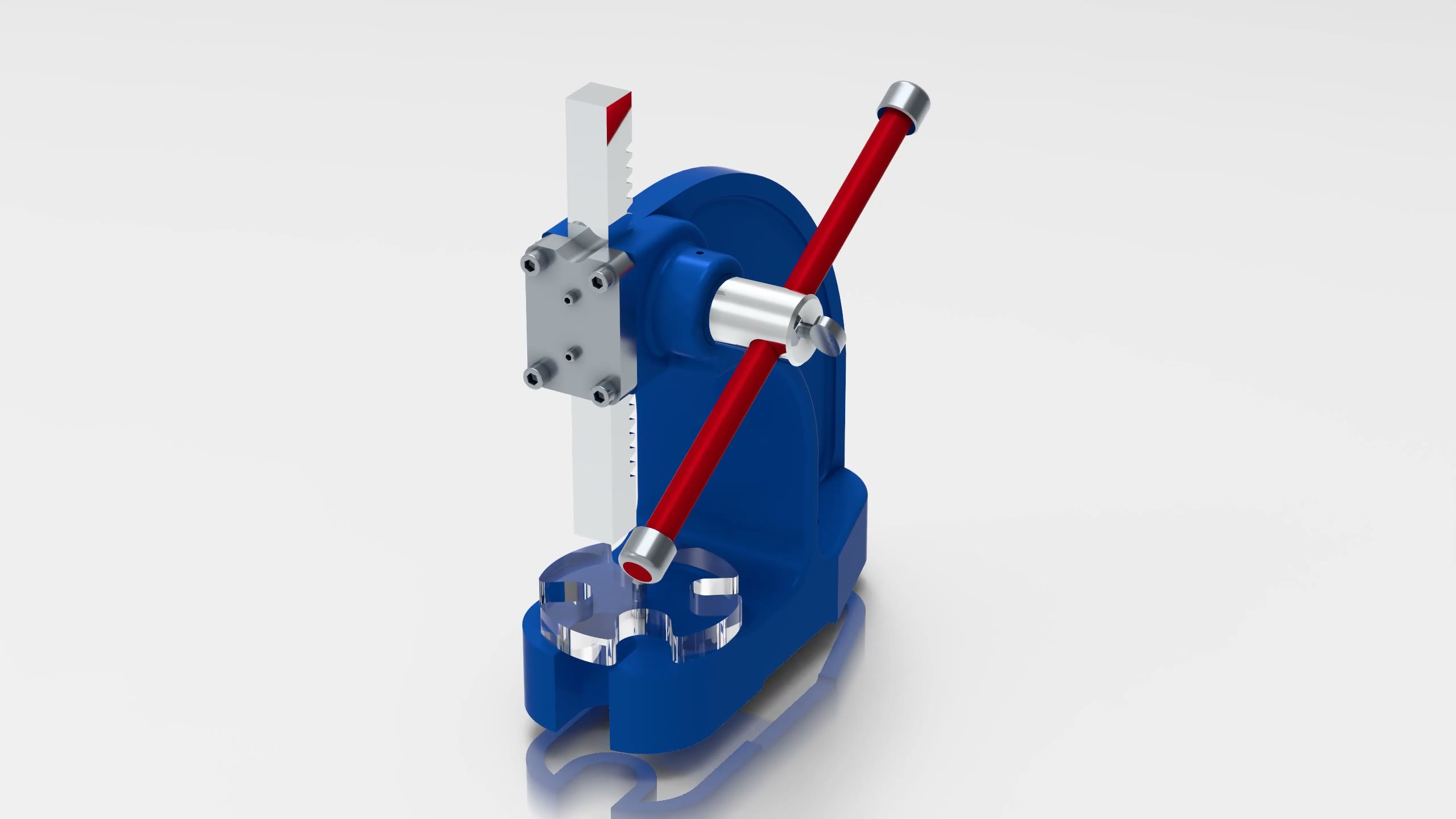
Arbor press disassembly and reassembly
Created through Codex using the MCP Bridge, refined through follow-up requests, and rendered on a remote machine.
Try it with your own model
Download VIZ, open the licensing dialog, select Power Surfacing Viz, and verify your email to start a 30-day evaluation. No automatic purchase follows the trial.